

Sharing Properties with Abisko
To sync ESPM properties with Abisko, you need to share them through Energy Star Portfolio Manager. This two-step process is described below.Step 1: Add Abisko as a Contact
1
Login to ESPM
Go to portfoliomanager.energystar.gov and sign in.
2
Navigate to Contacts
Go to Contacts in ESPM.
3
Search for Abisko and click Connect
In the search field, type “Abisko” and click Connect.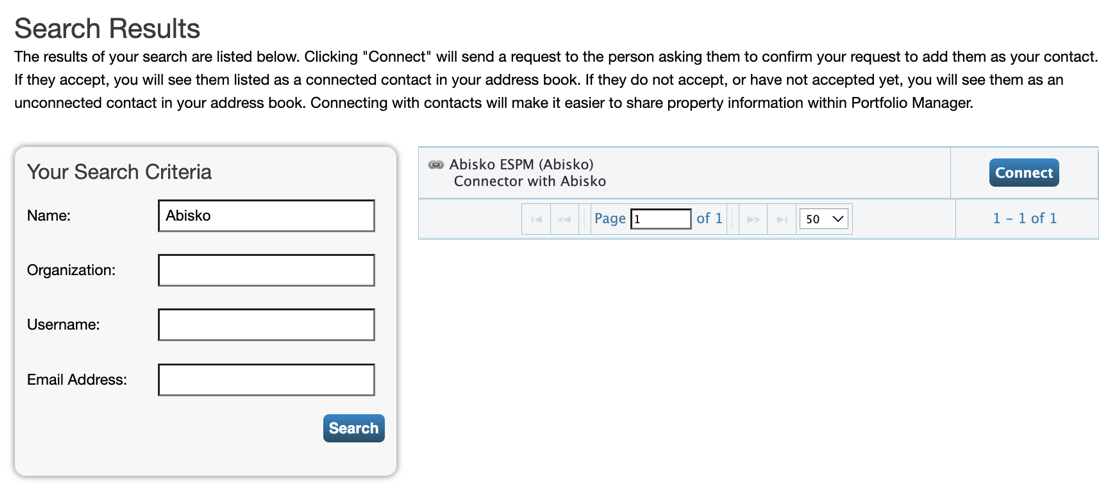
4
Notify Abisko
Let Abisko know you’ve sent a connection request so we can accept it.
Step 2: Share Properties in Bulk
1
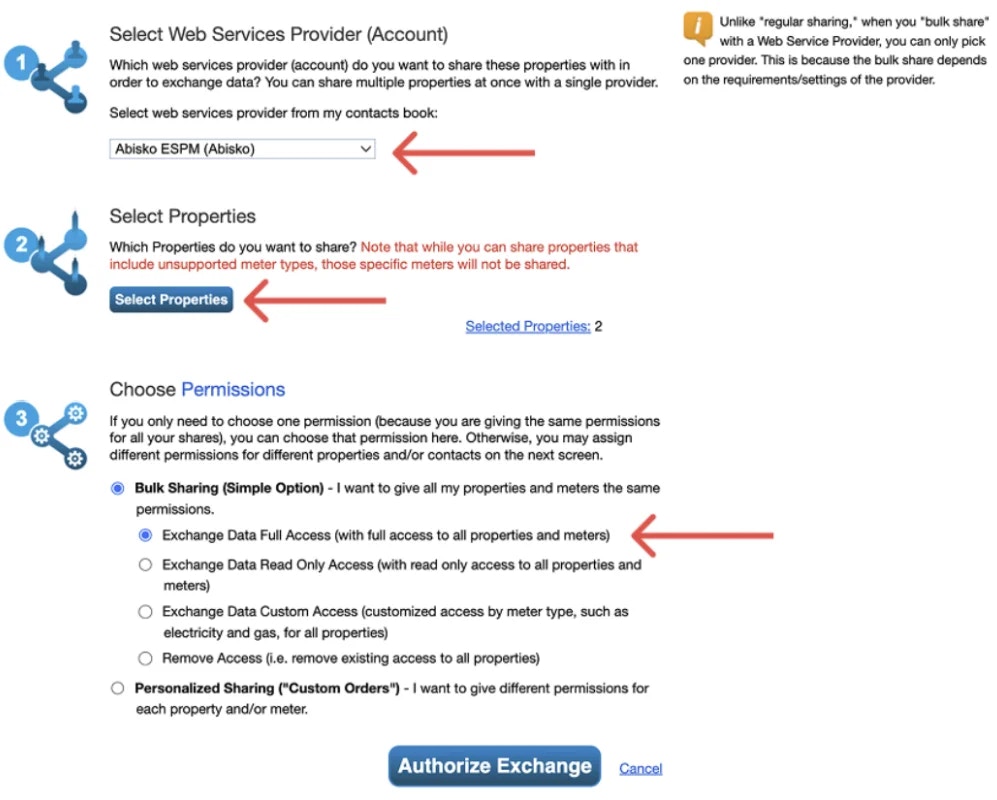
Go to ESPM Bulk Sharing page
Navigate to the Bulk Sharing page in ESPM.
2
Select Abisko
Select Abisko ESPM (Abisko) in the dropdown labeled “Select web services provider from my contacts book”
3
Select properties
Click Select Properties and check all the properties you want to share with Abisko.
4
Choose access level
Select Bulk Sharing (Simple Option) and choose Exchange Data Full Access
5
Authorize
Click Authorize Exchange.
6
Notify Abisko
Let Abisko know you’ve shared properties so we can accept the shares.
Once Abisko accepts your property shares
- ESPM data will begin syncing automatically every night.
- Abisko will configure your portfolio & provide you login credentials.
Data syncs every night. Any updates you make in ESPM will appear in Abisko the following day.