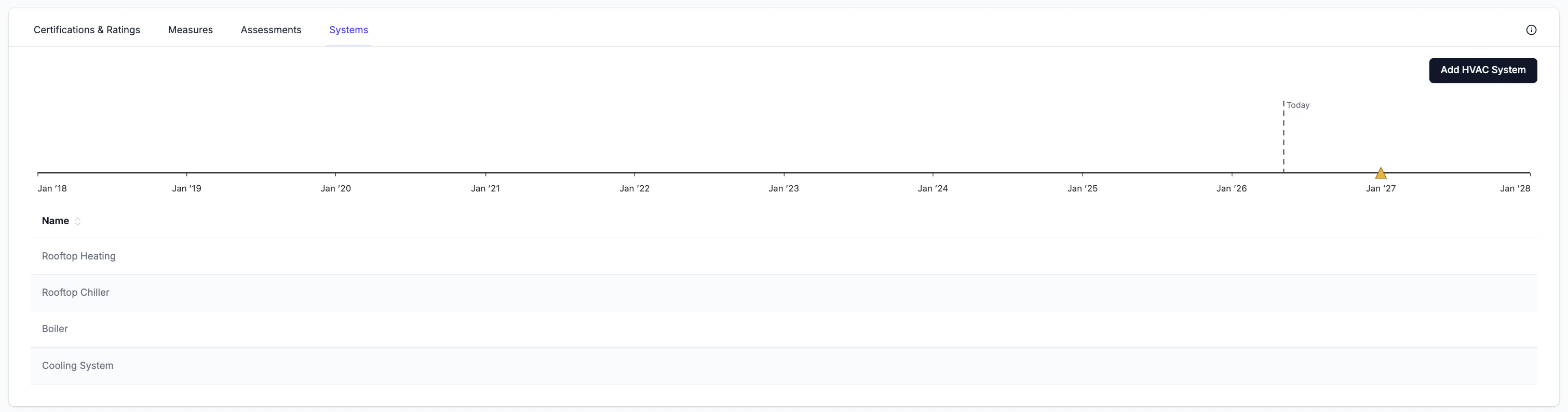
The systems tab allows users to record and manage details and specifications associated with heating and cooling systems that are present at each property.
Navigation
- Property → PARC → Systems
Tracking Systems
The table displays all systems tracked at the property.
The timeline above the table shows upcoming expected End of Life dates associated with each tracked system. These values are input by the user based on the recommended vaues provided by manufacturers. Users can track this information to identify upcoming opportunities for retrofits and to help inform capital project planning.
Adding an System
Click Add System to open the entry form. Fill in all applicable fields and add any applicable attachments. Click Save to add the record.
Users can create separate records for each heating and cooling system or one large record that combines information about integrated heating and cooling systems.
Editing and Deleting Records
Hover over any row to reveal the edit (pencil) and delete (trash) icons. Click the pencil icon to open the edit form, which contains the same fields as the Add System form. Click the trash icon to delete the record.
The paperclip icon is always visible on each row and can be used to attach files directly to an existing record without opening the full edit form.