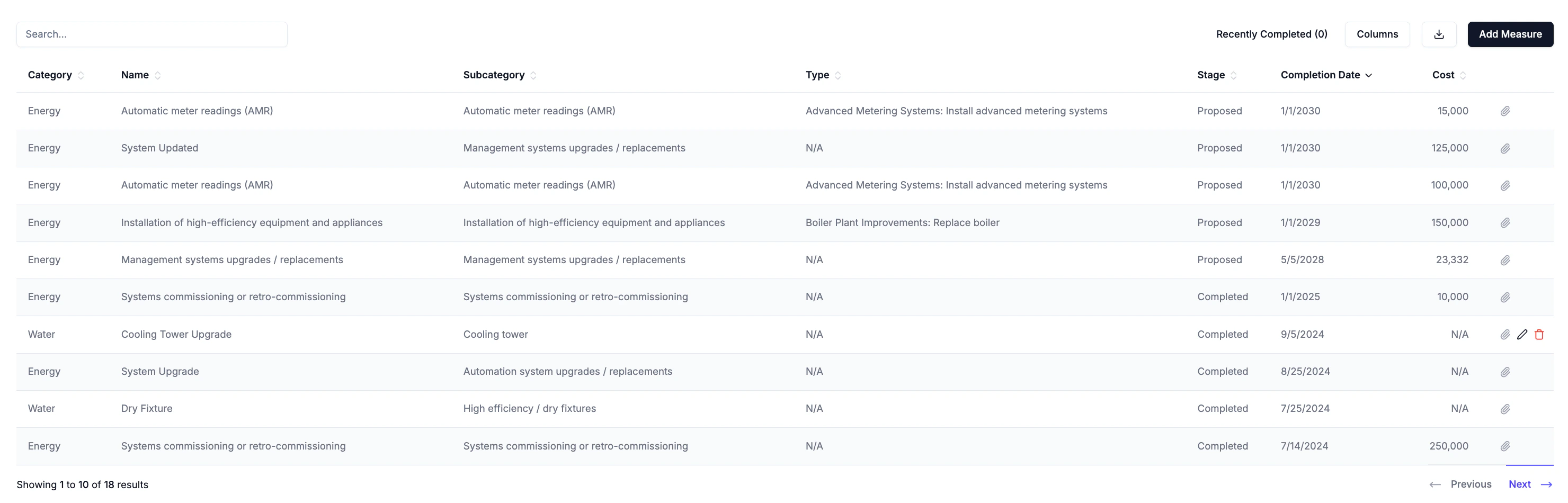
The Measures tab in PARC allows users to record and manage capital measures, efficiency upgrades, and other improvement projects at the property level. Both proposed and completed measures are tracked, enabling users to maintain a full project pipeline alongside a historical record of implemented improvements.
Navigation
- Property → PARC → Measures
- Portfolio → PARC → Measures
The Measures Table
The table displays all measures recorded for each property.
The Recently Completed filter at the top right can be toggle to show only measures that have been completed within the last 12 months. Use the Columns menu to show or hide individual columns and use the search bar to filter records by name. Export all records in the table as a CSV by clicking the download button.
Adding a Measure
Click Add Measure to open the entry form and fill all applicable fields. All required fields must be completed to save the measure.
Only measures with a status marked as Proposed can be selected for decarbonization pathway analysis in the compliance exposure and CRREM tabs.
- Annual Energy Savings: The estimated annual energy savings associated with a proposed measure can be entered separately for each energy subtype (e.g. electricity, natural gas). Savings can be entered as an absolute value or a percentage reduction from reporting period levels, which are calculated dynamically.
Editing and Deleting Records
Hover over any row to reveal the edit (pencil) and delete (trash) icons. Click the pencil icon to open the edit form, which contains the same fields as the Add Measure form. The paperclip icon is always visible on each row and can be used to attach files directly to an existing record without opening the full edit form.