Background
Users should read the primary data coverages section before continuing to learn how Data Coverage is calculated across different space types.Floor Areas
To add, edit, and delete space-based data coverage values, floor area values must first be defined for each space type within the property. Navigate to Property → Spaces- Click on the Floor Areas button at the top-right
-
Enter or edit the floor areas and click Save.
.png?fit=max&auto=format&n=6uc5IJZx1FsMLsz4&q=85&s=468d396bd27a272caf9b26f5f74b7e2c)
Tracking Data Coverage
Space-based data coverages are all accessed from within the Spaces tab. Users can track data coverages at both the property and portfolio levels.Property Level
Navigate to Property → Spaces-
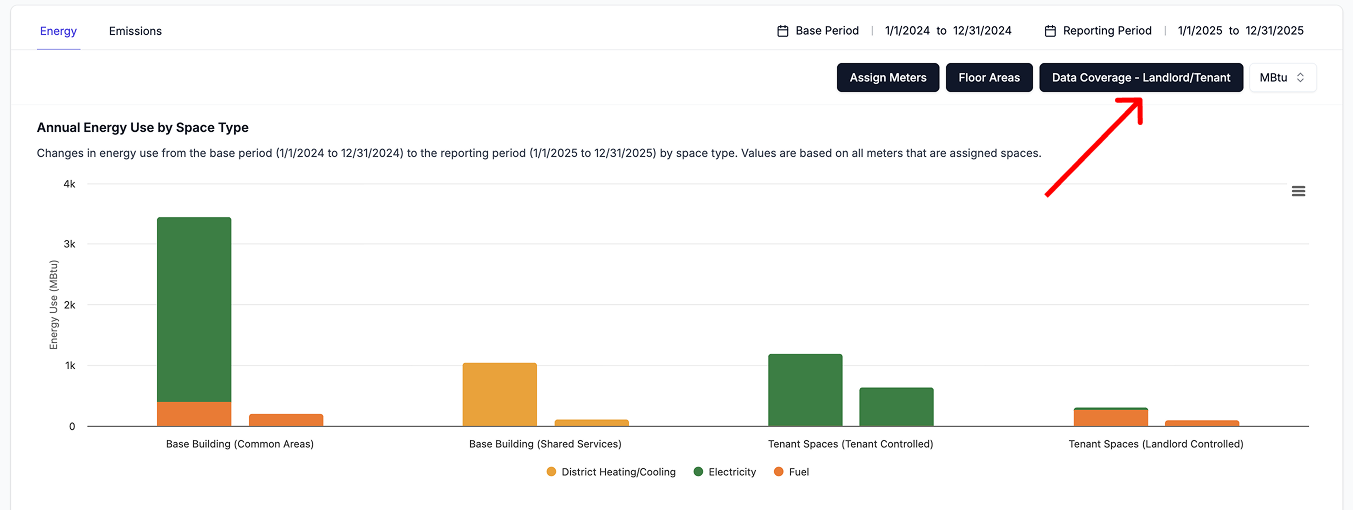
Click on the Data Coverage - Landlord/Tenant button at the top-right
The sidebar will open to the space-based data coverage values associated with most recent date prior to the end of the selected reporting period
- Click here for guidance in filling out data coverage values.
Portfolio level
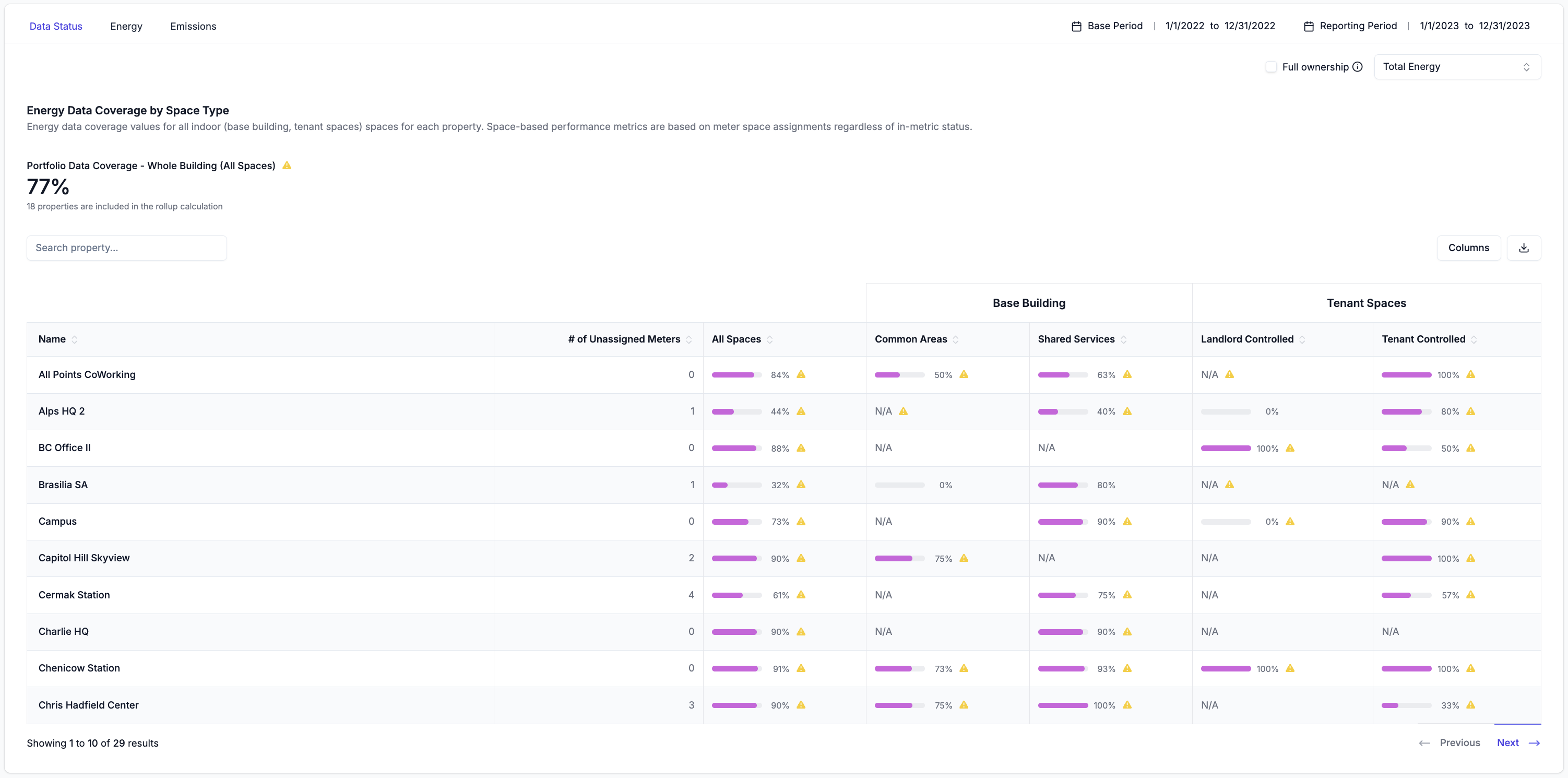
Navigate to Portfolio → Spaces → Data Status The Data Status subtab allows users to view and compare data coverages across all space types for all properties at once.-
Use the dropdown at the top-right to select the energy type for which to view data coverages
- Total Energy: Represents the total data coverage calculated by rolling up values across all utility types (e.g. electricity, fuel, DHC)
- Electricity: The data coverage for electricity across the space types.
- Fuel: The data coverage for fuel across the space types.
- District Heating & Cooling: The data coverage for DHC across the space types.
-
Click on the pink Data Coverage progress bars of any property to open a sidebar to view the property’s space-based data coverage for the selected reporting period
The sidebar will open to the data coverage values associated with most recent date prior to the end of the selected reporting period
- The All Spaces column represents the total data coverage calculated by rolling up values across all space types for the selected energy type. This can differ from Whole Building data coverage because it can be based on different meters. Click here to learn more.
- Click here for guidance in filling out data coverage values.