

Virtual meters are treated like all other meters in Abisko, giving users the ability to streamline analysis by incorporating them into reports and dashboards across the platform.
Use Cases
There are many common uses cases where virtual meters enable users to save time and improve accuracy when reporting performance.Building-Only Consumption Isolation
Many utilities provide aggregated consumption data for buildings, but this data often includes non-building loads such as parking, outdoor, and exterior spaces, and EV charging stations. Virtual meters allow users to automatically deduct these sub-metered non-building loads from aggregate meters, enabling more accurate benchmarking and reporting.- [Building-Only Electric] = [Aggregate Electric Meter] - [EV Charging Submeter]
- [Building-Only Electric] = [Aggregate Electric Meter] - [Parking Area Submeter]
Tenant Consumption Isolation
In addition to tracking whole building consumption, many building owners submeter energy consumption of landlord controlled spaces, such as lobbies, hallways and amenity spaces. Virtual meters allow users to automatically deduct landlord controlled submeters from whole building meters to isolate tenant consumption for split (landlord/tenant) performance reporting and scope 3 emissions disaggregation.- [Tenant Electric] = [Whole Building Meter] - [Common Areas Submeter]
Landlord & Tenant Consumption Splits
Heating fuel consumption (e.g. natural gas, oil) data is often only available at the whole building level. Many reporting frameworks allow whole building data to be prorated to landlord and tenant spaces based on each space’s share of gross floor area. Virtual meters allow users to proportionally split and attribute consumption from whole building meters across landlord and tenant spaces.- [Landlord - Natural Gas] = [Whole Building Natural Gas Meter] * 30%
- [Tenant - Natural Gas] = [Whole Building Natural Gas Meter] * 70%
Sample Virtual Meter
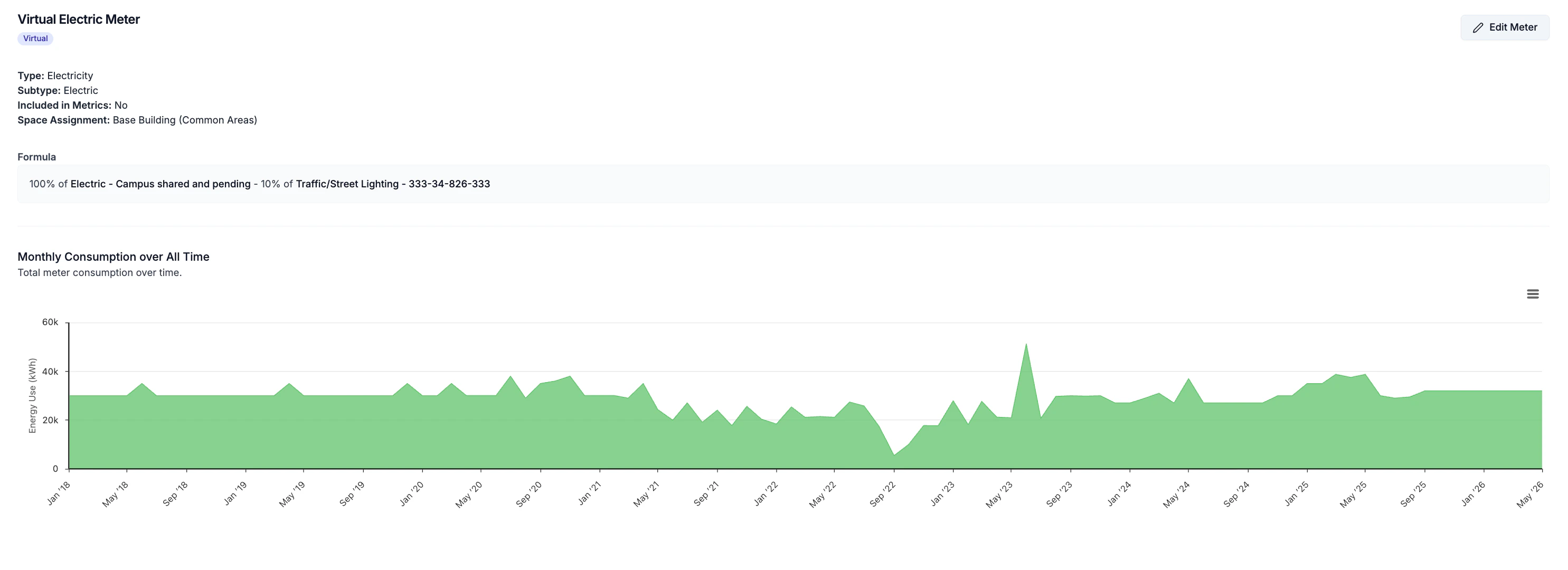
Example of a virtual meter composed of an outdoor lighting meter that is partially subtracted from a campus aggregate meter.
Create a virtual meter
Navigate to Property → Meters → Energy / Water- Click on Add Virtual Meter button
- In the Add Meter side panel complete the form
- Meter Type: Only meters of the same type will be available to be used as component meters to construct the virtual meter.
- Included in Metrics: If the meter is included in Whole Building performance calculations (learn more).
- Component Meter(s): Select one or more component meters and the percentage of each meter’s consumption to contribute to the virtual meter.
- Activation / Deactivation Dates: Set the period over which the virtual meter will calculate consumption values and contribute to performance analytics.
Virtual meters can be configured to only apply to specific reporting years.